Introduction
TheoWorks turns a sphinx-needs project into a workspace you can actually live in. Instead of hand-editing RST directives, you write and link needs — requirements, design elements, tests, and documentation — in a browser editor, and TheoWorks writes them back to your repository as clean, reviewable RST.
Open TheoWorks in your browser and try the editor on a sample project — no install.
Run TheoWorks on your own machine or server, against your own Git repository. Your data never leaves your infrastructure.
Who it is for
- Engineers and technical writers who maintain requirements, design, and test documentation and want the round-trip-to-Git safety of plain text without hand-writing directives.
- Teams working to a standard — Automotive SPICE, ISO 26262, or a V-model — who need typed needs, traceability links, and validation gates.
- Ops/platform admins evaluating a self-hosted rollout on their own infrastructure.
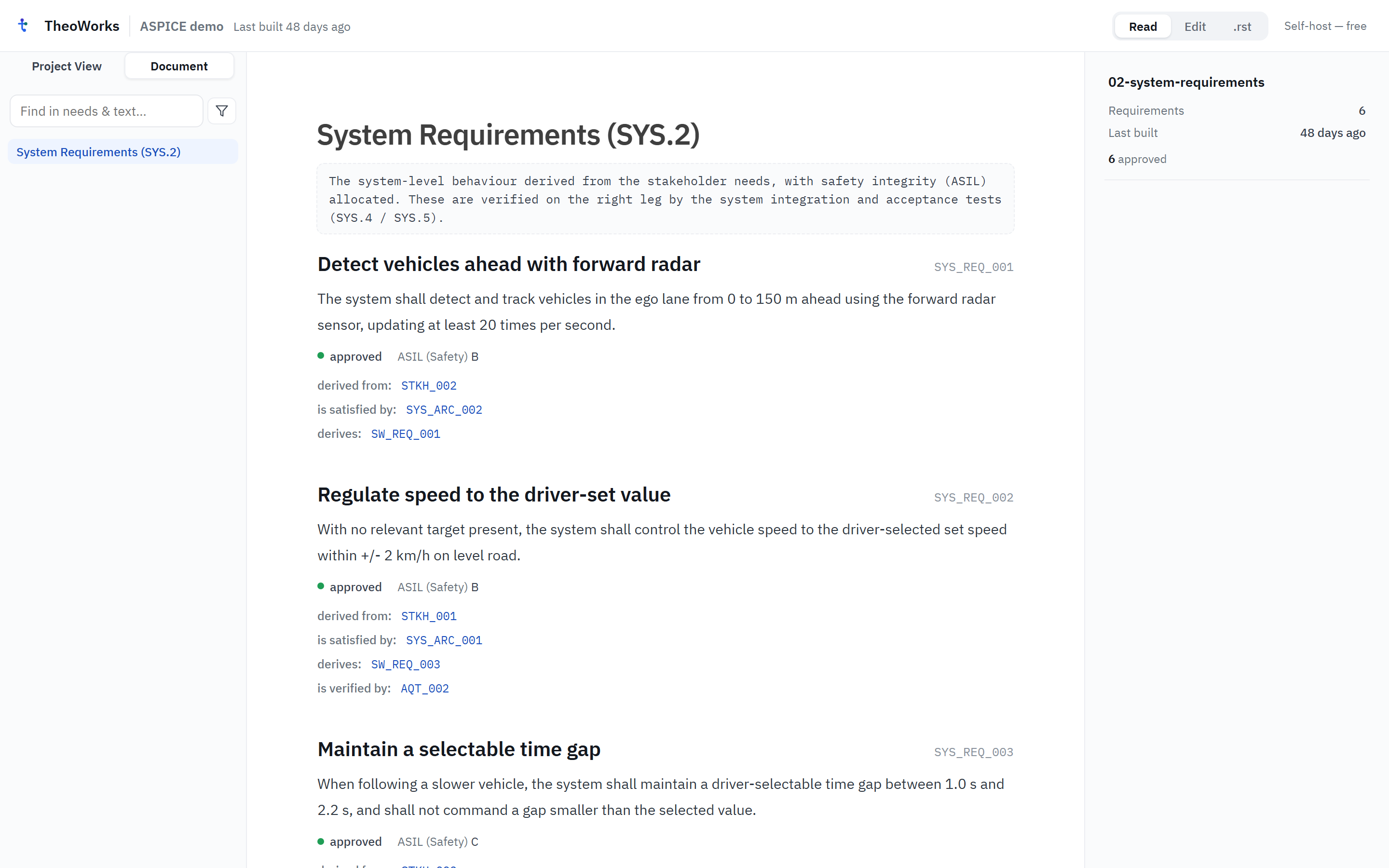
Three ways to run it
- Web demo — open try.theoworks.io in your browser and edit a sample project immediately. No sign-up, no install; your edits stay in the browser.
- Self-hosted — a guided launcher sets up TheoWorks on your own machine or server, against your own Git repository. Your data never leaves your infrastructure.
- VS Code extension — "TheoWorks IDE" brings the editor and live preview into VS Code, for anyone who already lives there.
Read Choose your flavor to decide where to start, or go straight to the Quickstart.
This Introduction, Core concepts, Choose your flavor, and the Quickstart are open to everyone. Everything past that — Install, Project setup, CI integration, Using the editor, Self-hosting, and Reference — asks you to sign in with a free TheoWorks account first.