Using the editor
The editor is where you do the day-to-day work: browsing, reading, and editing needs, and understanding how your change moves toward "built." It is the same editor in both flavors.
The editor tour
The editor has two top-level tabs: Project View, the project-wide document
tree plus a needs filter, and Document, the outline of the document you
currently have open. A find box ("Find in needs & text…") jumps to a need or
a piece of text by id, title, type, or status. The needs filter has two
modes: a Basic condition builder, or an Advanced raw sphinx-needs
filter string (for example type == "sw-req" and status == "approved").
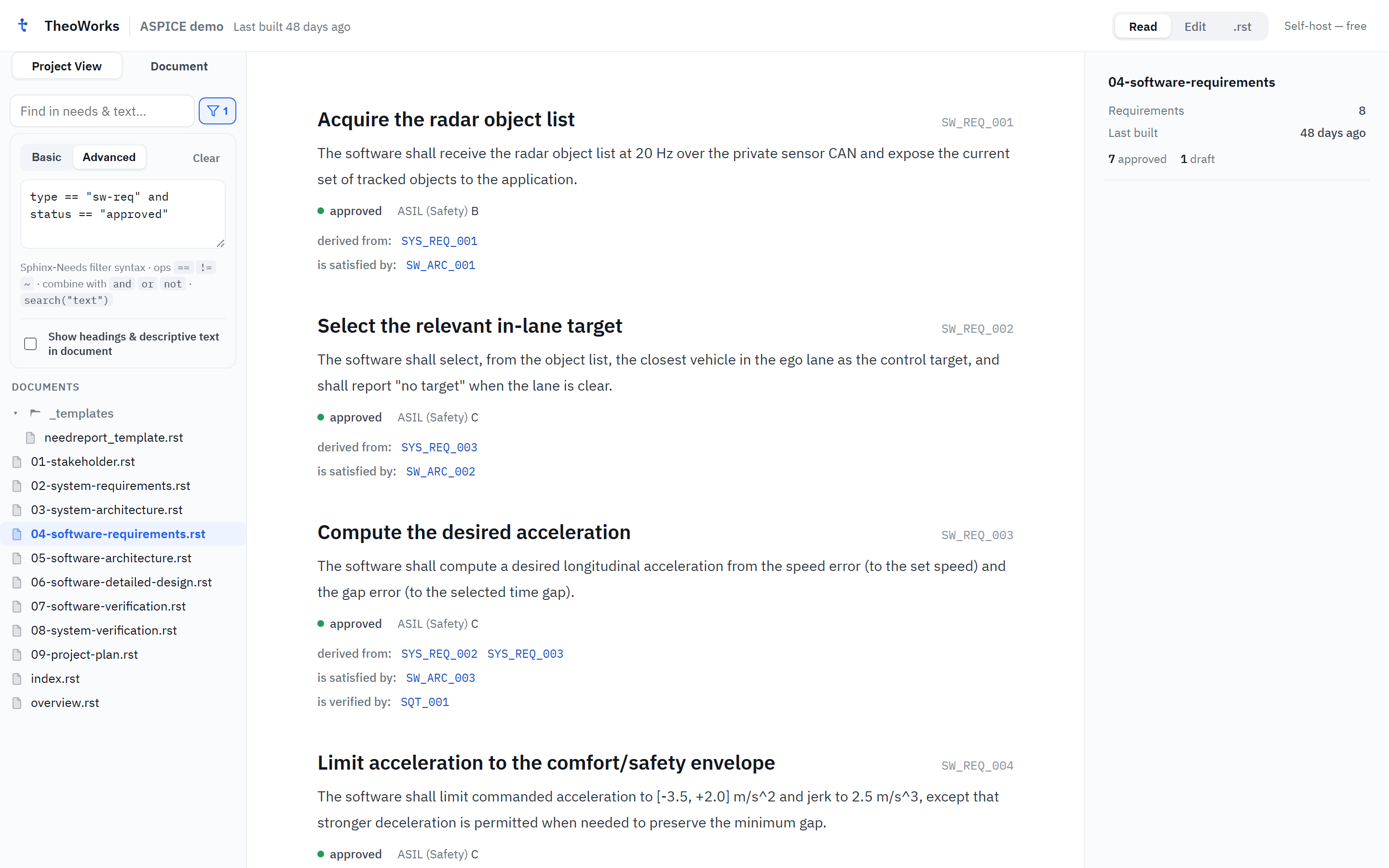
Inside a document, a toolbar switches between three modes: Read (the rendered document), Edit (WYSIWYG editing in place), and .rst (the raw source). A Build control runs your project's checks without leaving the editor (the web demo labels this same control Build & validate).
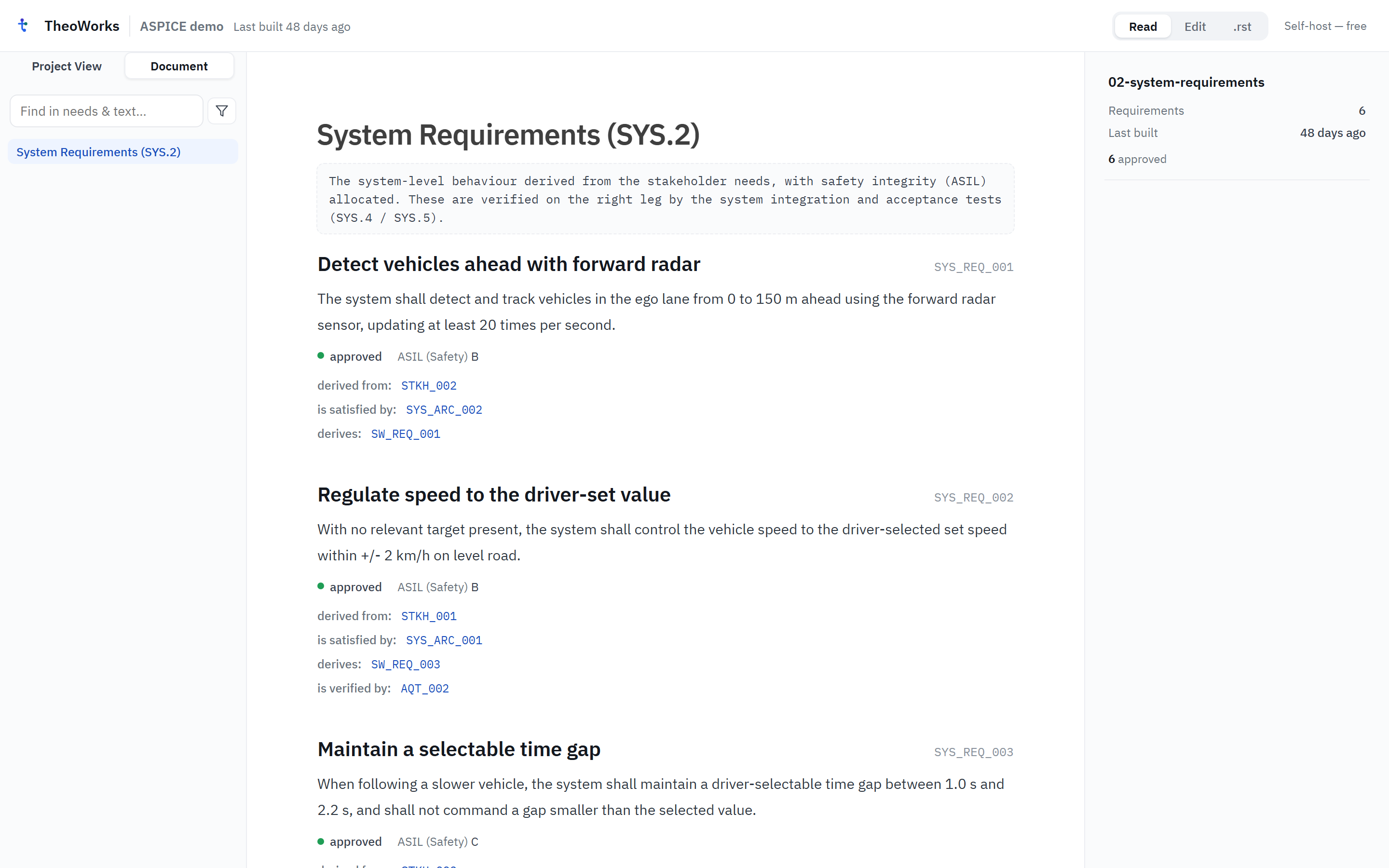
Editing preserves your place: every action keeps your scroll position and cursor/selection, so you never lose context when you save or switch modes.
Writing and editing needs
Add a document, then add needs to it. Each need has a type, an id, a status, and the fields your schema defines. Edit a field or the body and save — TheoWorks writes a minimal RST diff back to the file. Only authored needs are editable; generated/imported needs are shown read-only (see Provenance in Core concepts).
Linking and traceability
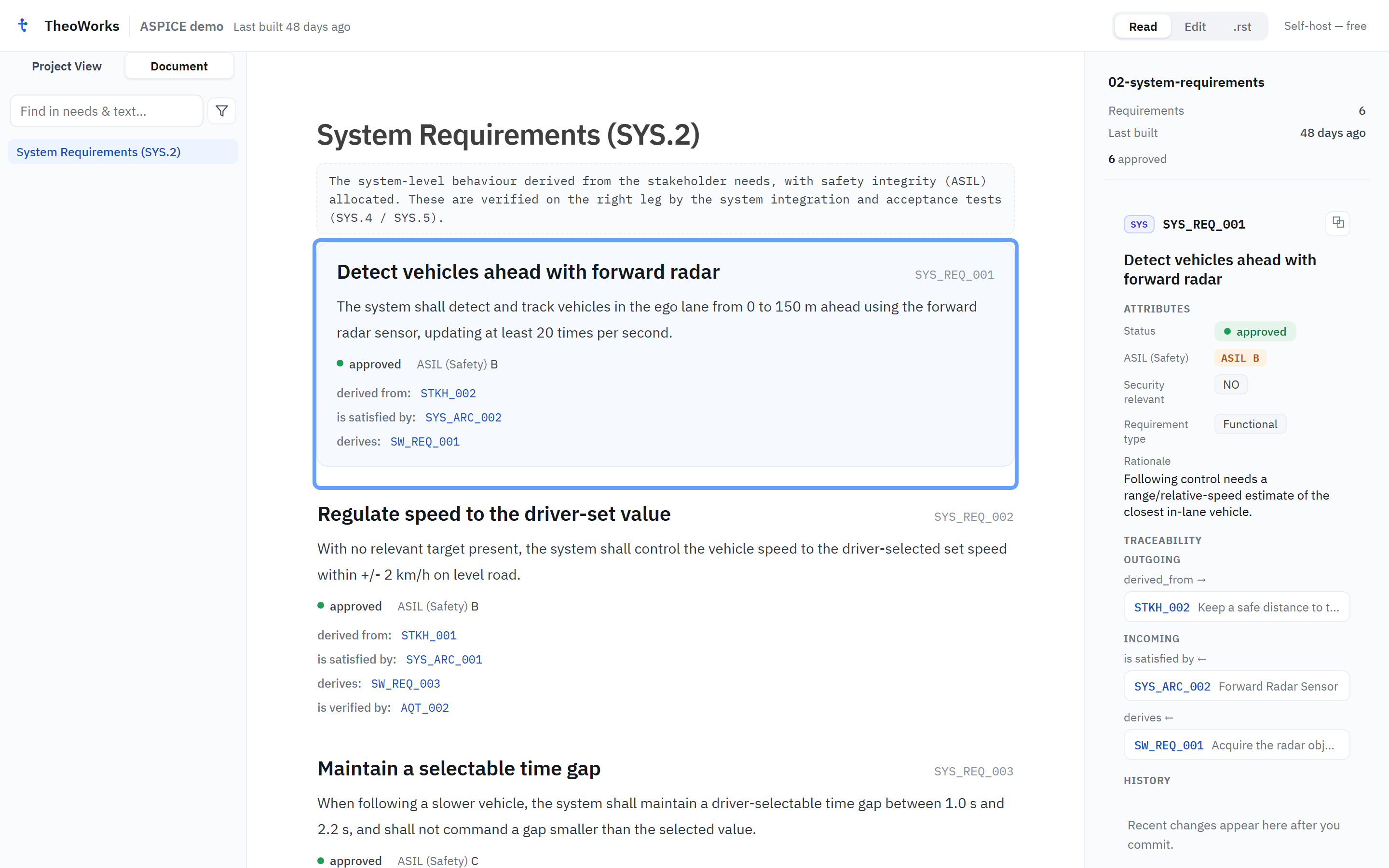
Connect needs with typed links (for example satisfies or verifies). Select a need to see its right-hand pane: its attributes, its traceability (outgoing and incoming links), and its history. The editor flags links whose target does not exist (dangling targets) so you can fix them.
Validation and workflows
Click Build, or just keep editing — TheoWorks checks each need against the
schema and shows findings: a missing required field or link, or an illegal
status transition. Status changes follow the workflow your schema declares
(for example draft → review → published). Resolve findings inline; a CI
build can gate on the same rules.
The Git lifecycle
Your edit is Saved to the working file first. To share it, commit it to Git history and push to your remote; CI then builds it (validating and rendering the needs). If you saved a change but validation or the rendered needs look stale, it is almost always because the change has not been built yet. This is the change lifecycle from Core concepts, made concrete in the UI.
"Where is my change?" is usually answered by asking which lifecycle stage it has reached: Saved, Committed, Pushed, Built, or Active.